Android · Open source · Offline-first

Track fuel and EV charges without the noise.

FuelLog is a compact Android app for logging fill-ups and charges, measuring mileage, predicting the next stop, and seeing cost trends. Built to stay small, work offline for logging, and keep your data on the device.

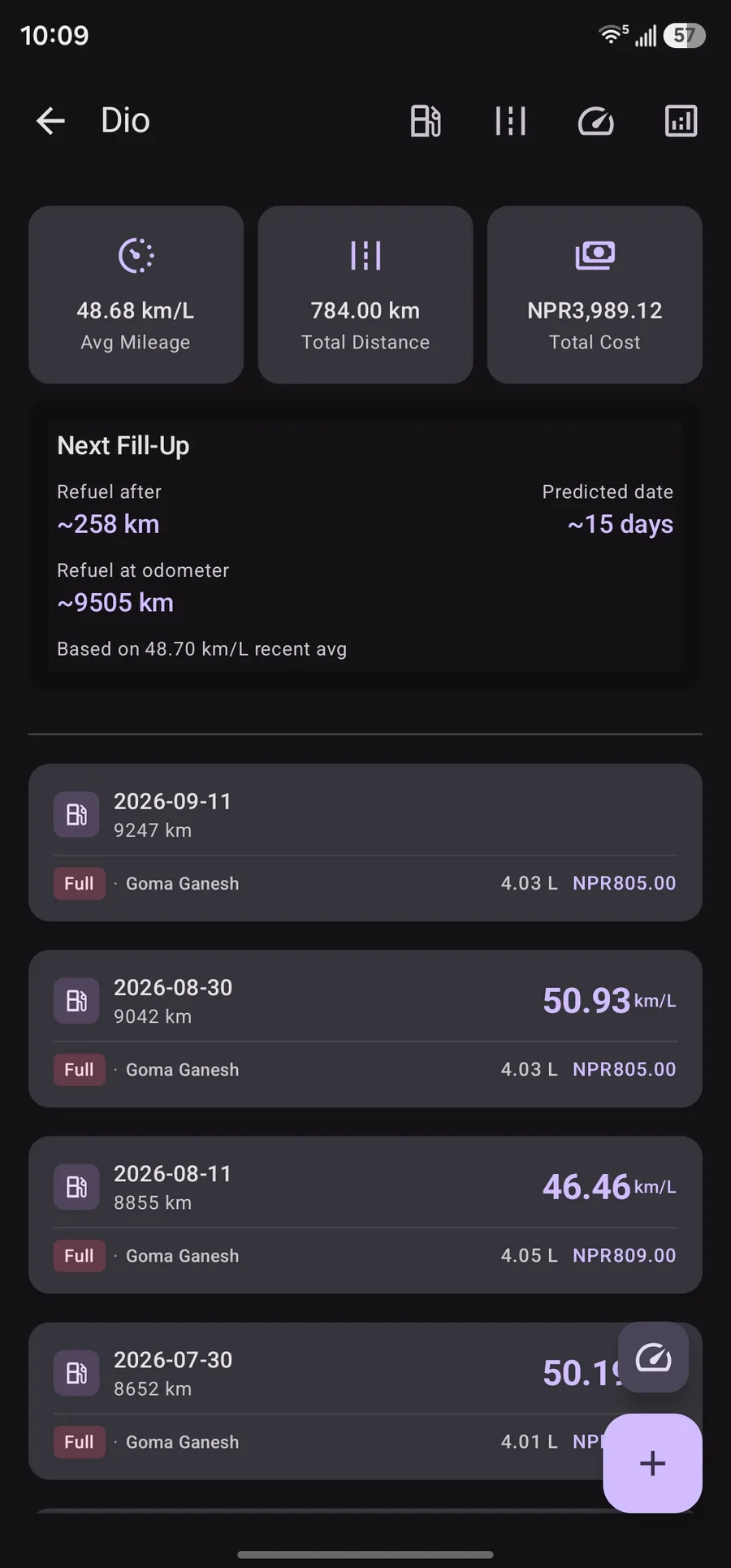
FuelLog fuel log screen showing average mileage, next fill-up prediction, and fill history
Fuel log Tap to zoom
Jetpack Compose Room DB Offline-first ~1.2 MB APK MIT License

Features

Everything in the app is built around daily logging: record what you bought, see how far it took you, and know when you should stop again.

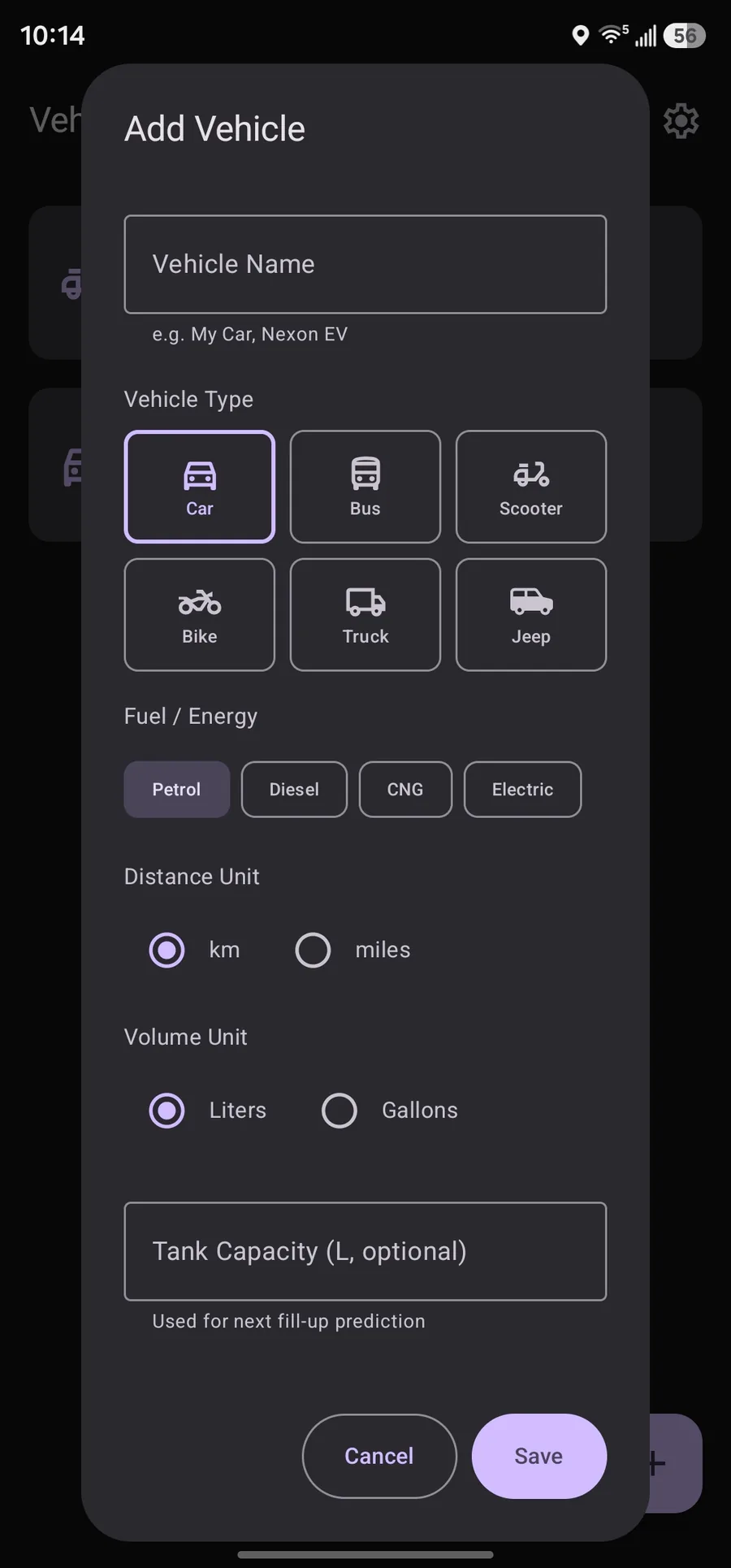
  • Multiple vehicles Separate logs for cars, bikes, buses, trucks, jeeps, and scooters. Each vehicle keeps its own history, units, and capacity.
  • Fuel and EV support Petrol, diesel, CNG, or electric. Electric vehicles use kWh, battery capacity, and charge wording throughout the app.
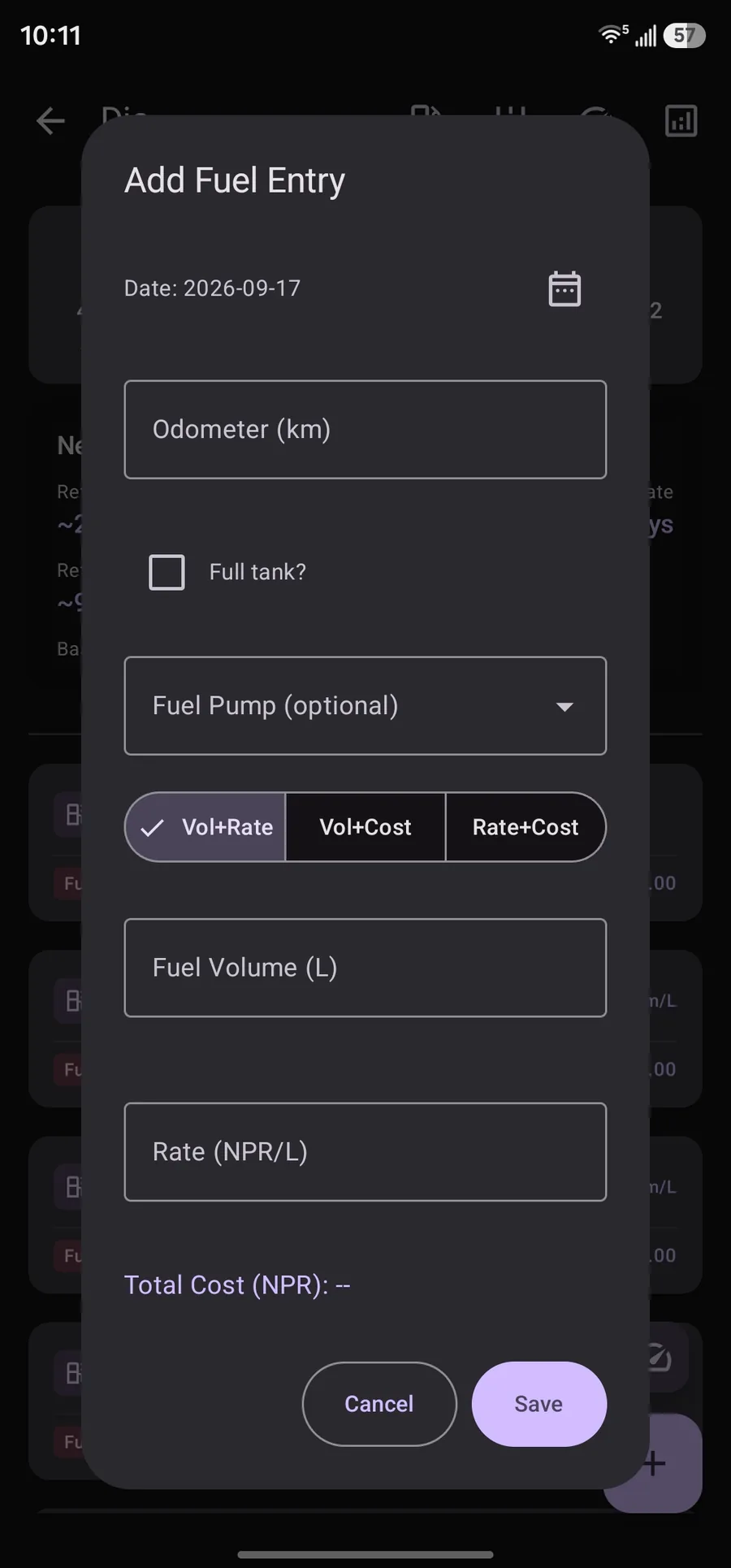
  • Fill-up logging Odometer, volume or energy, cost, date, full-tank or full-charge flag, and optional pump name with autocomplete.
  • Any-two auto calc Enter any two of volume, rate, and cost. The third is computed so you can log from a receipt quickly.
  • Mileage tracking Per-fill efficiency from the previous odometer reading. The newest fill stays empty until that tank or charge is finished.
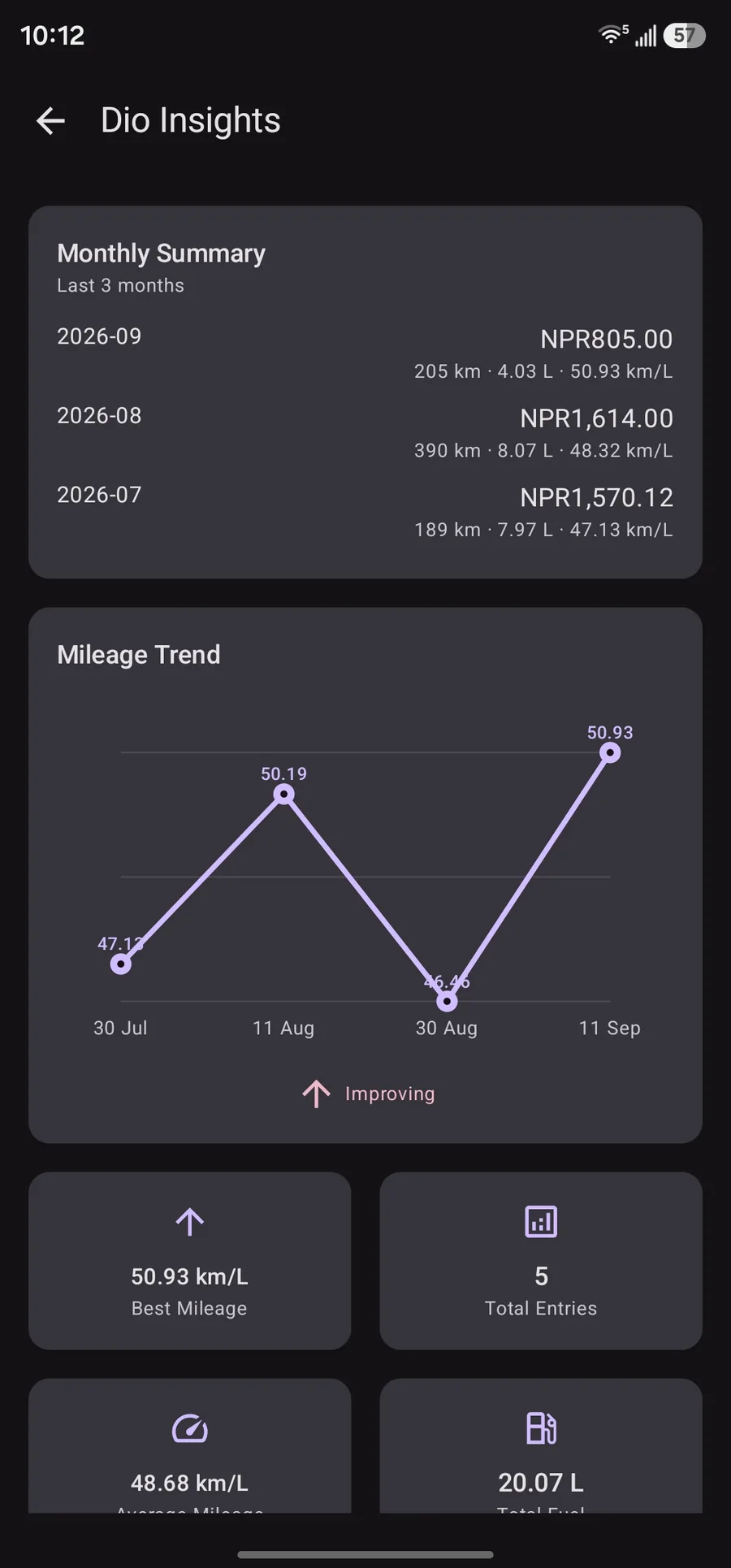
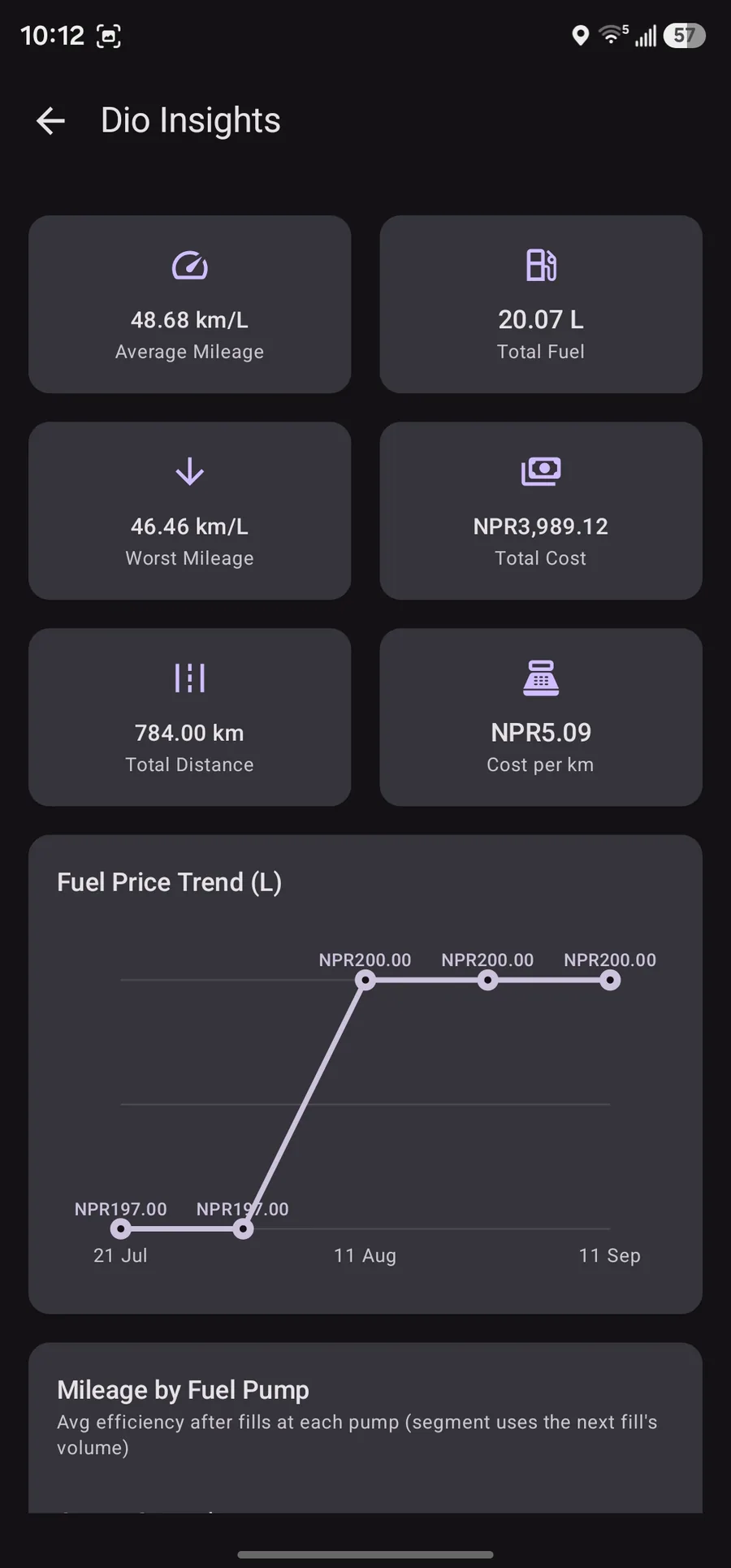
  • Insights and charts Average, best, and worst mileage, fuel price trend, cost totals, and a monthly summary of distance, volume, and spend.
  • Next fill prediction Recency-weighted mileage plus tank or battery state. Odometer check-ins between fills shorten remaining range immediately.
  • Reserve threshold Set a reserve volume. Prediction targets when you will hit that level, not theoretical empty.
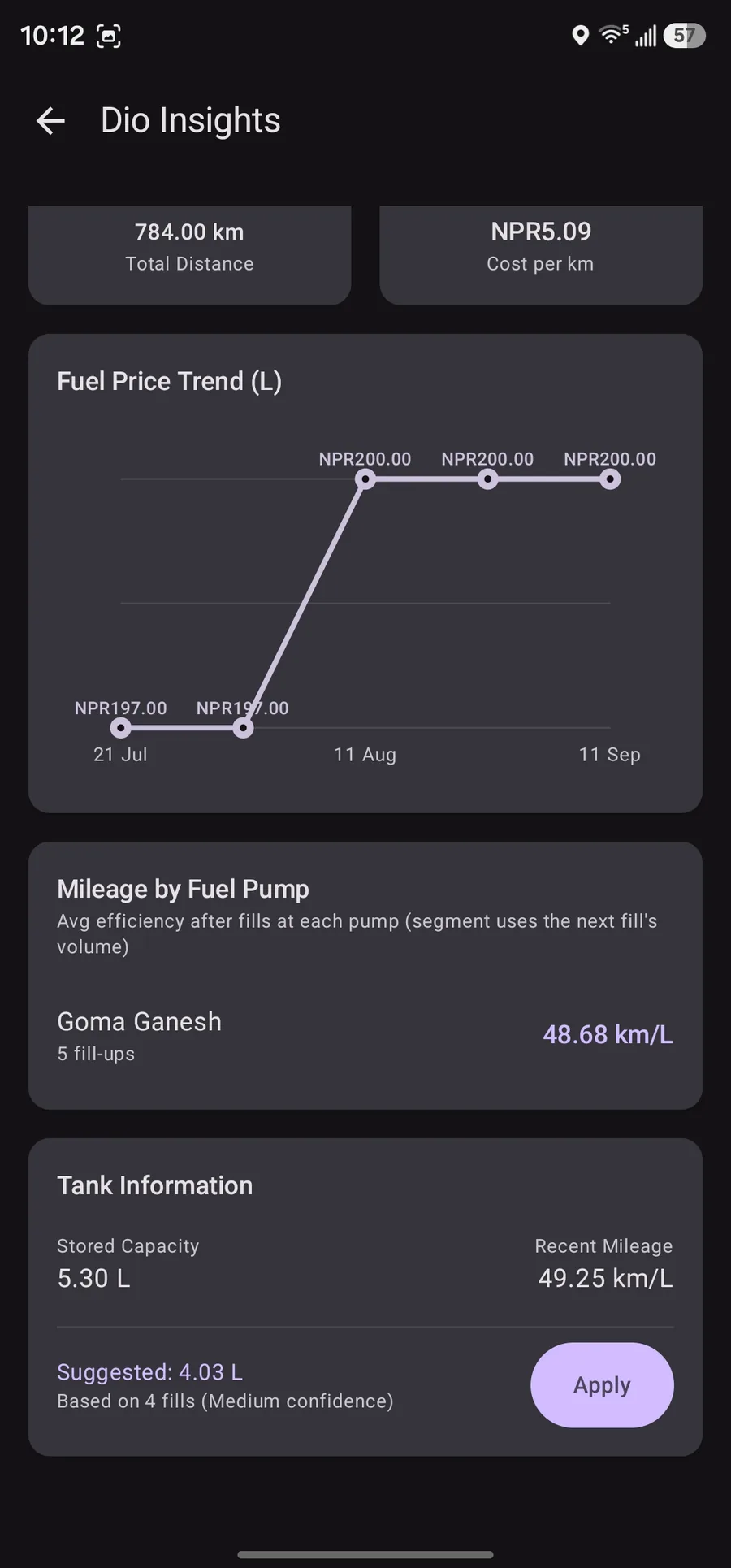
  • Tank capacity learning Median of consecutive full-tank fill volumes suggests capacity with confidence. You apply it yourself; the app never overwrites.
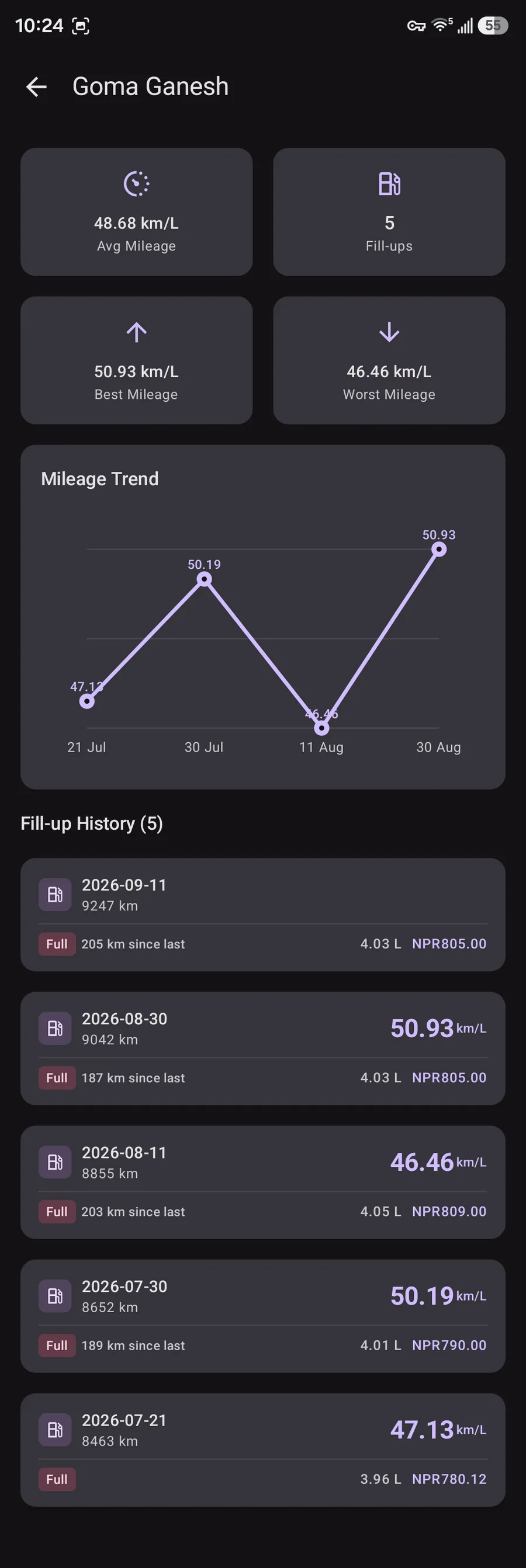
  • Per-pump statistics Compare efficiency after fills at each station. Rename or delete pumps; entries keep history safely.
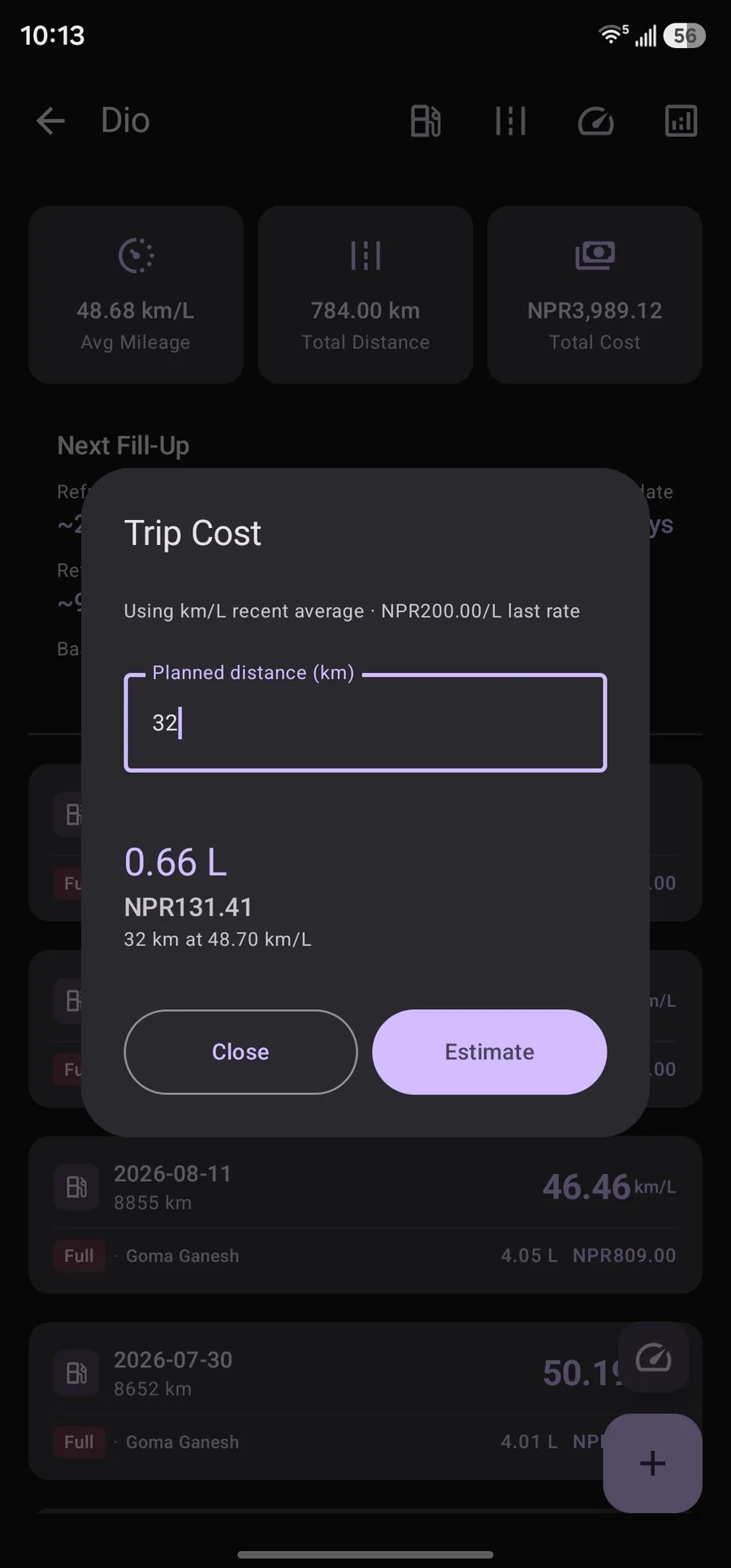
  • Trip cost calculator Planned distance becomes estimated energy and cost using your recent mileage and the last rate you paid.
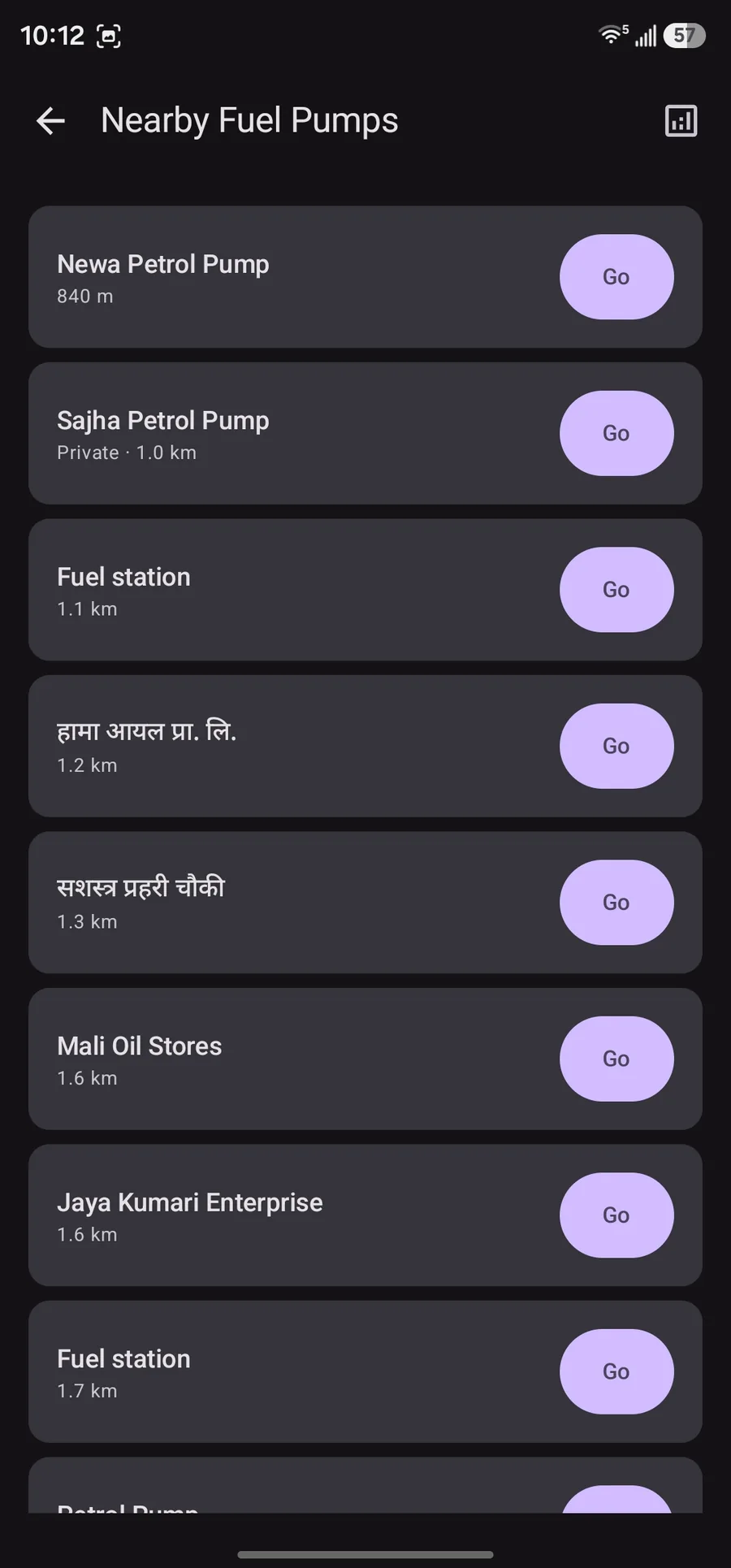
  • Nearby fuel pumps List OpenStreetMap stations within about seven kilometres. Open the system maps app to navigate. No map SDK in the APK.
  • Units and currency Kilometres or miles, litres, gallons, or kWh. Changing vehicle units converts history. Global currency for display.
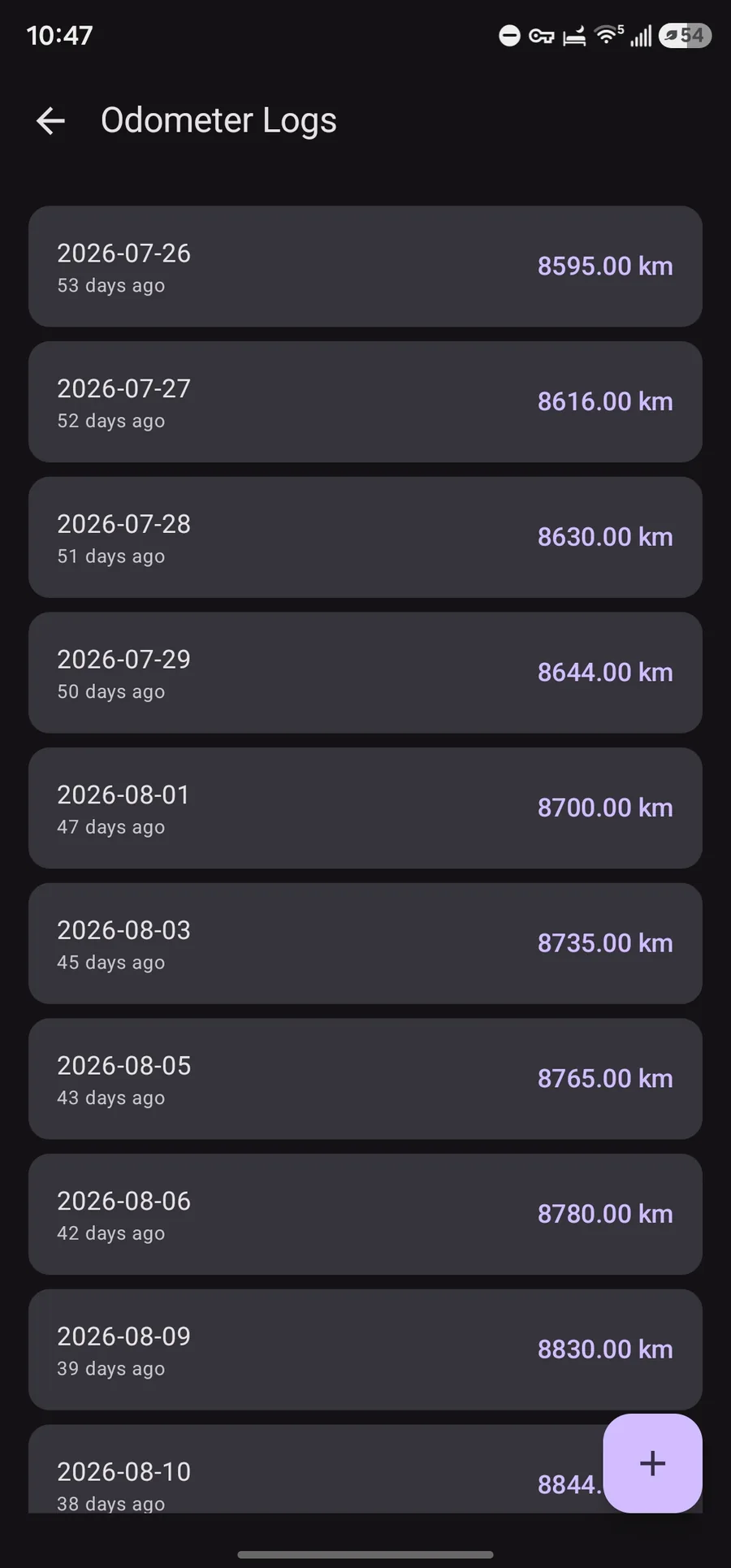
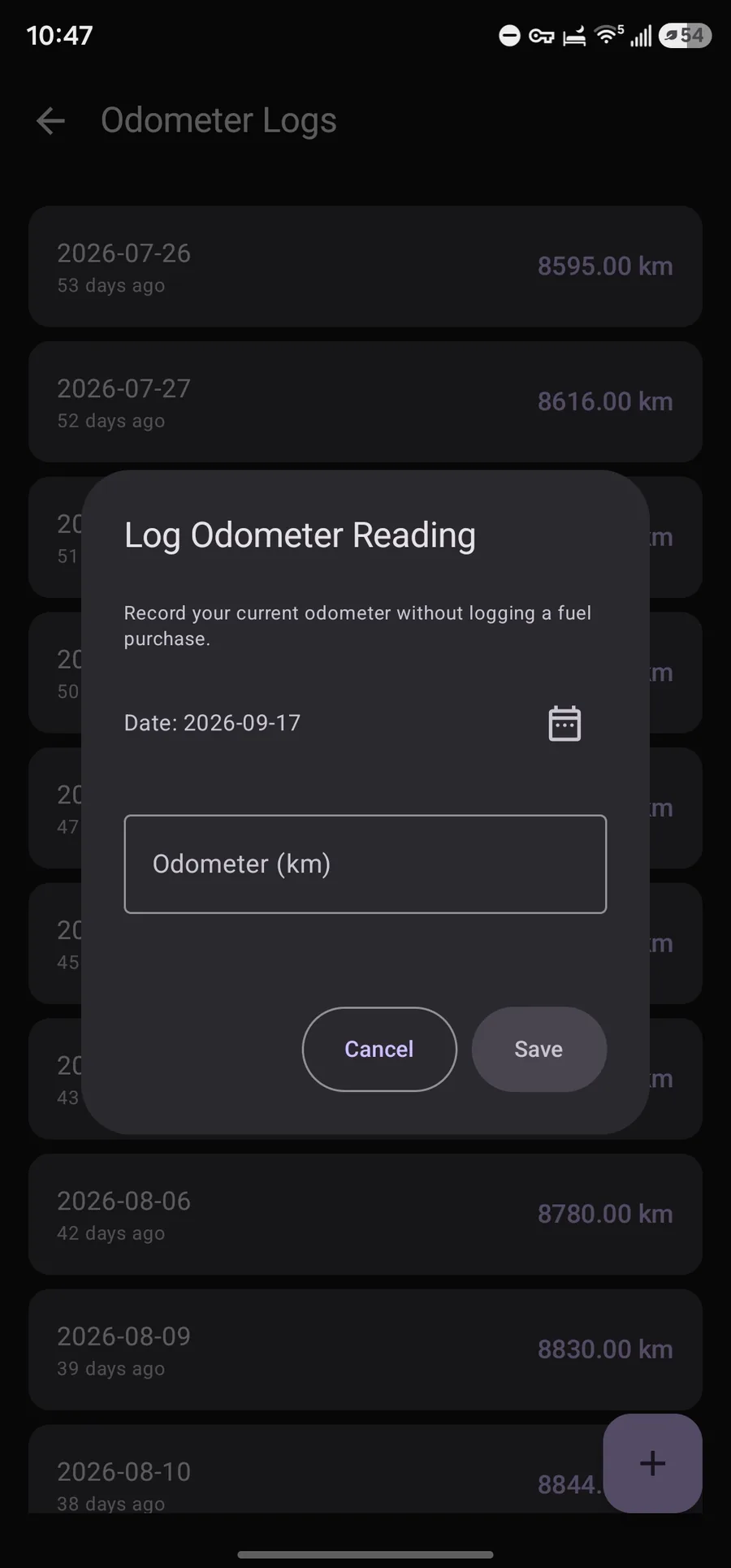
  • Odometer check-ins Log distance without buying fuel so predictions stay honest between fill-ups.
  • Backup and export Transactional JSON backup and restore. Failed imports keep existing data. CSV export for spreadsheets.
  • Small and offline-first Room database on device, Compose UI, manual dependency injection. No account required for core logging.

Screens

Real screenshots from the app. Click any card for the full screen.

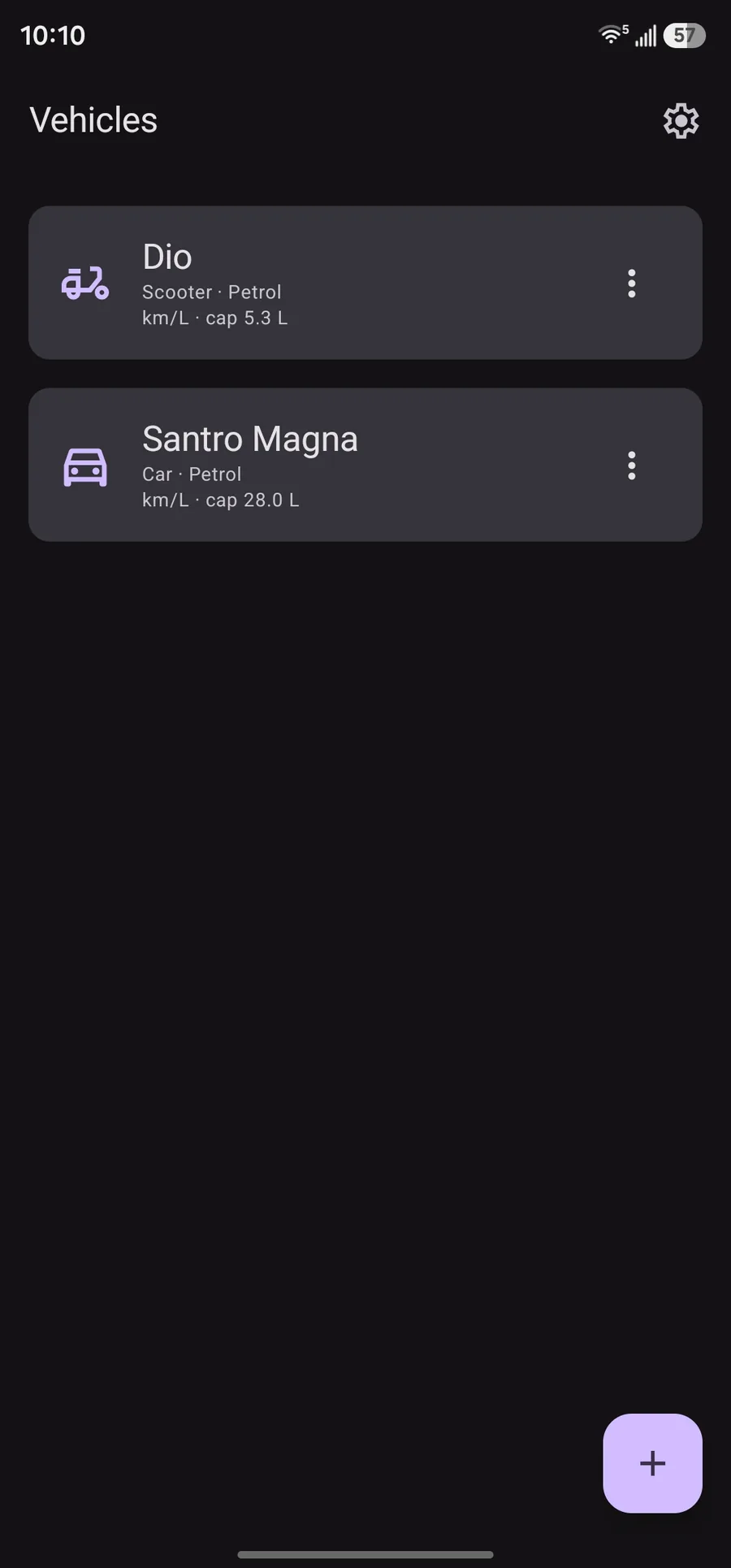
FuelLog vehicles list with Dio scooter and Santro Magna car
Vehicles list Click to enlarge
Dio fuel log with average mileage, next fill-up prediction, and fill history
Fuel log and prediction Click to enlarge
Add Fuel Entry dialog with odometer, full tank, pump, and auto cost modes
Add fuel entry Click to enlarge
Odometer Logs list with dated distance check-ins
Odometer logs Click to enlarge
Log Odometer Reading dialog without a fuel purchase
Log odometer reading Click to enlarge
Insights monthly summary and mileage trend chart
Monthly summary and trend Click to enlarge
Insights average mileage, fuel, cost, distance, and fuel price trend
Insights statistics Click to enlarge
Mileage by fuel pump and tank capacity suggestion
Pump stats and tank learning Click to enlarge
Goma Ganesh pump detail with mileage stats, trend, and fill-up history
Fuel pump detail page Click to enlarge
Nearby fuel pumps list from OpenStreetMap with Go buttons
Nearby fuel pumps Click to enlarge
Trip cost dialog estimating fuel and cost for planned distance
Trip cost calculator Click to enlarge
Add Vehicle form with vehicle type, fuel energy, units, and capacity
Add vehicle and EV options Click to enlarge

How the algorithms work

Calculators are pure functions in the codebase. They run on device data only; nothing is sent to a server for mileage or prediction.

Per-fill mileage

  1. Sort fuel entries for a vehicle by odometer.
  2. For each pair of consecutive entries, take the odometer difference.
  3. Divide that distance by the volume or energy added at the later fill.
  4. Show that value on the earlier fill; the newest fill has no finished segment yet.
mileage = (odometer[i] − odometer[i−1]) / volume[i]

Recency-weighted efficiency

  1. Build the list of valid adjacent mileage pairs.
  2. Apply an exponentially weighted moving average (EWMA).
  3. Recent tanks influence the average more than old ones.
EWMA = α · mileage[t] + (1 − α) · EWMA[t−1]
α = 2 / (window + 1), default window = 5

Next fill prediction

  1. Estimate fuel or energy in the tank after the last fill.
  2. Full fill sets level to capacity; partial fills add volume up to capacity.
  3. Subtract reserve once so prediction targets your reserve zone.
  4. Subtract distance driven since the last fill using the latest odometer point.
  5. Projected date uses average distance per day over the last 30 days of points.
usable = capacity − reserve
remaining = usable × EWMA_mileage − distance_since_fill

Tank capacity learning

  1. Take consecutive full-tank fills.
  2. Volume added at the second fill approximates how much was used.
  3. Use the median of those volumes as the suggestion.
  4. Confidence rises with more full-tank pairs; apply manually if you want.
capacity ≈ median(volume added between full fills)

Trip cost

  1. Read recent mileage (EWMA) and the last rate you paid.
  2. Energy needed is planned distance divided by mileage.
  3. Cost is energy times rate, rounded to two decimal places.
energy = distance / mileage
cost = round(energy × rate, 2)

Nearby pumps

  1. Request device location permission and a single location fix.
  2. Query OpenStreetMap Overpass for amenity=fuel within 7 km.
  3. Sort by haversine distance.
  4. Open the system maps app for navigation; FuelLog does not embed a map engine.
Overpass around:7000 · sort by haversine metres
Stack

UI

Jetpack Compose and Material 3

Data

Room with explicit schema migrations

Logic

MVVM with Kotlin Flows and pure calculators

Maps data

OpenStreetMap Overpass HTTP only

Get FuelLog

Download the latest release APK from GitHub, or add the repository in Obtainium for update checks without a Play Store listing.

Direct download

Always points at the newest GitHub release asset named app-release.apk.

Download APK https://github.com/ChandanShakya/FuelLog/releases/latest/download/app-release.apk

Obtainium

Use the link below in Obtainium, or tap Add to Obtainium on a device that handles the scheme.

Add to Obtainium obtainium://app/https://github.com/ChandanShakya/FuelLog